

Best Standing Desk for a Home Office
Answer a few questions about your room and how you work, and get one desk that fits — not a spec table.
Find my matchFree to use, and there’s no account to create. We ask for an email at the end so we can send your matches to you.
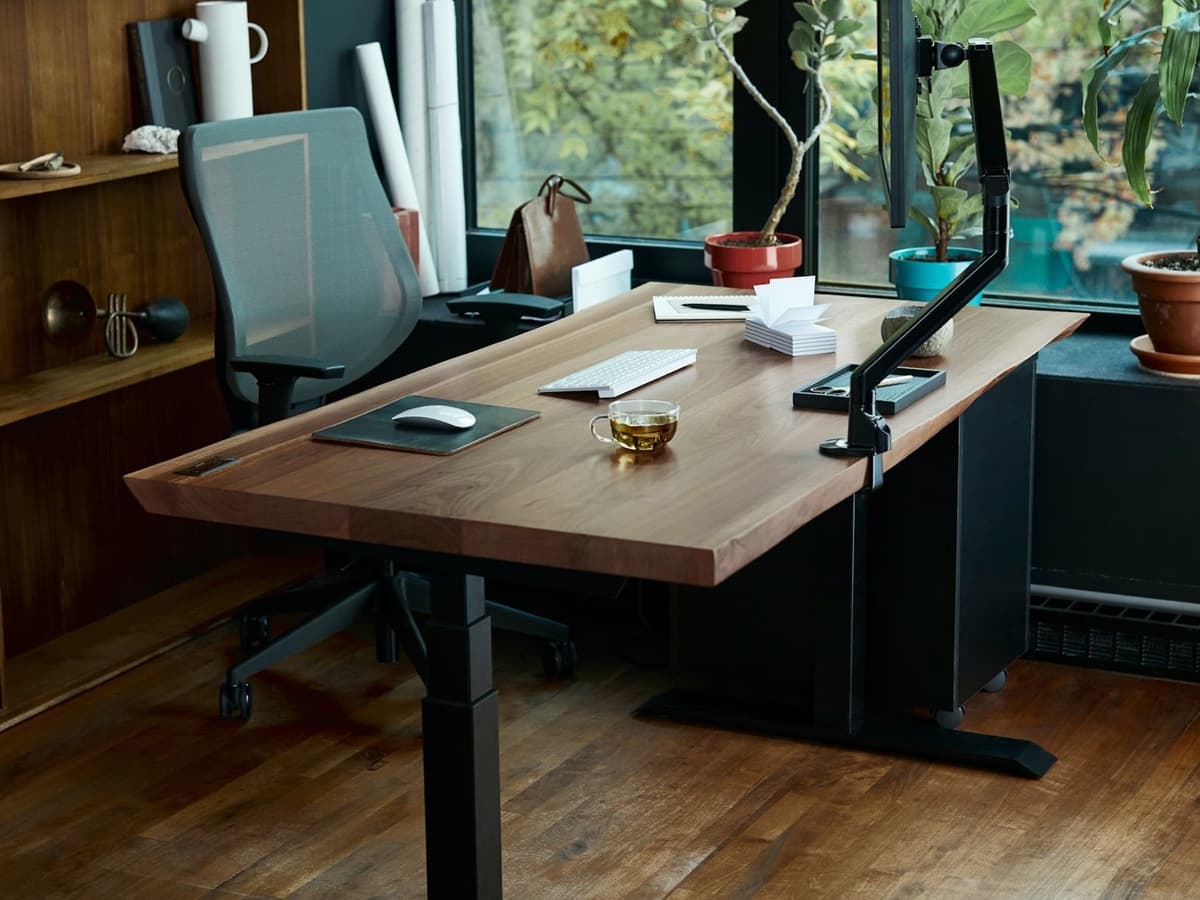
There’s no single “best standing desk” — only the best one for you.
Someone tall running dual monitors needs a sturdier frame than someone shorter who just wants to stand for an hour after lunch.
Our AI doesn’t have a quota to fill — it has one job: finding what fits your exact needs, not the one with the best commission.
A personalized match
Not a generic top-ten list
Save hours of research
Skip the endless tabs
100% free to use
No hidden fees, no signup
Honest recommendations
Not sponsored picks
Tailored questions, not a fixed checklist
Your questions are generated for what you’re actually shopping for, and each answer shapes the next one. Here’s how it starts.
- 1
How much you will actually stand
Switching position several times a day, or standing occasionally — it decides whether you need a fast motor, or any motor at all.
- 2
Who uses it, and how tall
Your height sets the range the desk has to reach, and taller and shorter users are exactly who cheap desks fail to fit.
- 3
What sits on top
One laptop, or two monitors, an arm and speakers — the load and how much wobble you can live with change with it.
… and more, depending on what you tell us.
The single thing that separates a good electric standing desk from a bad one is how steady it is at full standing height, and it is also the most common complaint about the category. Every raised desk is a tall lever, so small weaknesses in the frame turn into a visible wobble when you type or lean. Dual-motor frames, with one motor in each leg, generally lift more weight, raise and lower faster, and stay more rigid when extended than single-motor designs that drive both legs from one motor through a shaft. A cross-bar and thicker leg tubing help too. If you have ever used a desk that shivered every time you touched the keyboard, that is the failure mode to buy against.
Height range is where cheap desks quietly exclude people. Many budget frames cover roughly 28 to 46 inches, which is fine if you are average height but leaves a tall person hunched at standing height and a shorter person unable to get their elbows right when seated. If you are much above or below average, check the actual minimum and maximum against an ergonomic calculator before buying, and account for the thickness of the desktop and your keyboard. A frame with a wider travel range, or a low or tall variant, is worth paying for if you need it.
The desktop is a real decision, not an afterthought. A width of 48 to 60 inches suits most home setups; go to 30 inches deep if you run monitors so your eyes are not too close to them. Laminate over particleboard is light, cheap and fine, but a heavier top flexes less and feels more solid; bamboo is a good middle ground; solid wood looks best and is heavy enough that your frame's weight rating starts to matter. Many sellers let you buy the frame alone, which is the move if you want a specific top or already own one you like.
Beyond the frame, two things tell you whether a desk is built to last: memory presets and the warranty. Presets — buttons that drive the desk straight to your saved sitting and standing heights — sound like a luxury and turn out to be the feature that makes you actually switch position rather than not bothering. A long warranty, five years or more on the frame and motor, is the maker signalling how long it expects its own mechanism to survive; the cheapest imports often warrant the frame for a year, which is its own answer. This category has a genuine race to the bottom, and the very cheap end is where dead motors and stripped gears live.
One honest caveat before you spend: most people stand far less than they imagine they will. If you are not sure the habit will stick, a hand-crank frame costs much less and still lets you find out, and a well-set-up fixed desk with a good monitor arm and chair solves most of the ergonomic problem on its own. The health case is for alternating position, not for standing all day — standing rigidly for eight hours brings its own aches. Buy the electric desk if you know you will use the presets; otherwise start cheaper and upgrade if you outgrow it.
How QuickPick works
Tell us what you need
In plain English. No model numbers, no spec knowledge required.
Answer a few smart questions
Our AI asks what actually changes the answer, then stops asking.
Get your top matches
A short, ranked shortlist you can compare side by side, with prices.
What actually changes as you spend more
Not a list of picks. Just a sense of which band you belong in before you answer a single question.
$250 – $400
Single-motor frames from FlexiSpot, FEZIBO or Amazon-brand kits, usually with a laminate top. They stand up and sit down and are fine for a laptop and one monitor, but expect more wobble at full height, a slower lift, a narrower height range and a shorter warranty.
$450 – $800
Dual-motor desks from Uplift, Fully Jarvis, FlexiSpot Pro, Branch and Vari. Higher weight ratings, memory presets, a wider height range, bamboo or thicker tops, and a 5-to-15-year frame warranty. Where most home offices should be shopping.
$900 – $1,600
Fully Jarvis and Uplift in solid wood or L-shaped layouts, Herman Miller Nevi and Motia, Secretlab MAGNUS Pro. The steadiest frames at height, the nicest tops, quiet motors and long warranties. Worth it for heavy multi-monitor setups or a desk that is also furniture.
Typical street prices, reviewed 2026-09-04. QuickPick shows live retailer prices on your actual matches.
Frequently asked questions
- Do I need a dual-motor standing desk?
- For most home setups, it is worth it. Dual-motor frames lift more weight, move faster, and stay noticeably steadier at standing height, which is the thing people complain about most. Single-motor desks are fine for a laptop and one monitor on a tight budget, but the wobble and the slower lift get old.
- Why does my standing desk wobble?
- A raised desk is a tall lever, so any flex in the legs or joints shows up as a wobble when you type. The usual causes are a single-motor frame, thin leg tubing, no cross-support, or the desk raised near its maximum. A dual-motor frame with a cross-bar, kept a little below its top height, is much more stable.
- What height range should a standing desk have?
- Check it against your own height rather than trusting the default. Many budget frames stop around 46 inches, which is too low for a tall person standing, and start around 28 inches, which is too high for a shorter person sitting. Use an ergonomic height calculator, subtract the desktop thickness, and confirm the frame covers both your numbers.
- Is a standing desk worth it, or should I just get a monitor arm?
- If you know you will alternate between sitting and standing, a good electric desk with presets makes that easy and is worth it. If you are unsure, a fixed desk with a monitor arm and a proper chair fixes most of the ergonomic problem for far less, and a hand-crank desk is a cheap way to test the habit. The benefit is changing position, not standing constantly.
- How much should I spend on a standing desk?
- Between $450 and $800 buys a dual-motor frame with presets, a decent top and a long warranty, which is the sensible range for a home office. Under $400 you are into single-motor frames with more compromises. Buying just the frame and adding your own top is a good way to put the money where it matters.
- Do standing desks need memory presets?
- They are not essential, but they are the feature most likely to make you actually use the desk. Without presets you hold a button and eyeball the height every time, and most people stop bothering. With one press to your saved sitting height and another to standing, switching becomes automatic.
Honest recommendations — not endless tabs.
Answer a few questions and get matched in under a minute. Free, and no signup.