

Best Gaming Monitor
Tell us what you play and what drives it. We match the panel to your setup, not to a spec-sheet headline.
Find my matchFree to use, and there’s no account to create. We ask for an email at the end so we can send your matches to you.
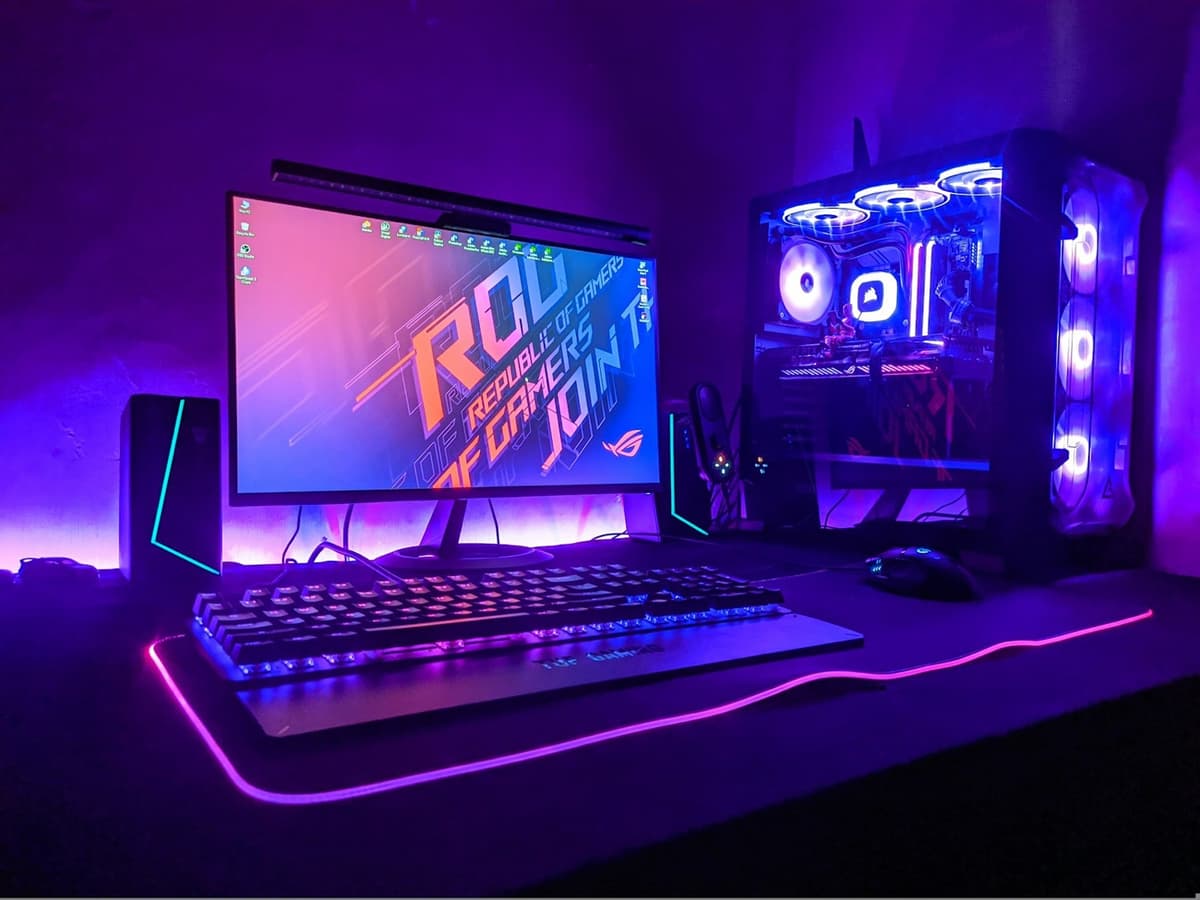
There’s no single “best gaming monitor” — only the best one for you.
Someone chasing 240fps in competitive shooters needs a different monitor than someone who wants a single-player RPG to look its best on a 4K panel.
Our AI doesn’t have a quota to fill — it has one job: finding what fits your exact needs, not the one with the best commission.
A personalized match
Not a generic top-ten list
Save hours of research
Skip the endless tabs
100% free to use
No hidden fees, no signup
Honest recommendations
Not sponsored picks
Tailored questions, not a fixed checklist
Your questions are generated for what you’re actually shopping for, and each answer shapes the next one. Here’s how it starts.
- 1
What you play, and how seriously
Competitive shooters where frames win rounds, story-driven single-player games, or a mix of both alongside work.
- 2
What graphics card feeds it
The GPU sets the frame rate you can actually reach, which decides whether a 144Hz or a 240Hz panel is money well spent or wasted.
- 3
Resolution against screen size
1080p, 1440p or 4K, and how large a panel you want sitting an arm's length away at a normal desk.
… and more, depending on what you tell us.
A gaming monitor's headline number is its refresh rate, and it is the easiest one to overpay for. A 240Hz panel only does something if your graphics card can push close to 240 frames per second in the games you actually play, and in demanding single-player titles at 1440p or 4K, most cards cannot. Match the refresh rate to what your GPU can feed: a mid-range card paired with a 144Hz or 165Hz screen will feel better than the same card straining against a 240Hz one it never fills. The exception is competitive shooters, which run at hundreds of frames on modest hardware and genuinely reward the faster panel.
Response time is where the marketing gets loose. Almost every gaming monitor advertises "1ms", and that figure is measured under lab conditions with an overdrive setting that often adds visible ghosting or overshoot in normal use. What matters is motion clarity: how sharp a moving image looks, which independent measurements report far more honestly than the box does. As a rough guide, a good IPS panel is clean enough for all but the most serious competitive play, OLED is the sharpest in motion, and a slow VA panel can smear in dark scenes regardless of the number printed on it.
Panel type is the choice you live with every day. IPS gives accurate colour and wide viewing angles and is the safe default, though its blacks look grey in a dark room. OLED has the best contrast, the fastest motion and the richest colour, but it costs more, is not as bright for HDR highlights, and carries a real if now-manageable risk of burn-in from static elements like a taskbar or a game HUD over years of use. VA sits in between, with deep blacks and a tendency to smear on fast, dark transitions. There is no wrong answer here, only a trade you should make on purpose.
Resolution should track the screen size and how hard your GPU works. At 24 to 25 inches, 1080p is still sharp and keeps frame rates high, which is why competitive players stick with it. 27 inches is the sweet spot for 1440p, the resolution most gaming builds are aimed at right now. 4K makes sense at 32 inches and up, or if you also do detailed work on the screen, but it roughly doubles the graphics load and needs a strong card to drive at a high refresh rate. Bigger is not automatically better at a normal desk distance, where a 32-inch panel makes you move your head to track the edges.
Variable refresh rate, sold as G-Sync or FreeSync, syncs the monitor to your graphics card so frames do not tear or stutter when the rate fluctuates. Nearly every current monitor supports FreeSync, most of those also work in G-Sync-compatible mode on Nvidia cards, and the dedicated G-Sync hardware module is now rarely worth its premium. Beyond that, let the way you play decide. If you mainly play ranked shooters, prioritise refresh rate and motion clarity and accept a plainer panel. If you mainly play single-player games, put the money into an OLED or a high-quality 1440p or 4K IPS screen at 120 to 165Hz and enjoy how it looks.
How QuickPick works
Tell us what you need
In plain English. No model numbers, no spec knowledge required.
Answer a few smart questions
Our AI asks what actually changes the answer, then stops asking.
Get your top matches
A short, ranked shortlist you can compare side by side, with prices.
What actually changes as you spend more
Not a list of picks. Just a sense of which band you belong in before you answer a single question.
$130 – $220
A 24-inch 1080p or 27-inch 1440p IPS panel at 144Hz to 180Hz from AOC, Gigabyte, KTC or LG's basic line. FreeSync, decent motion, and enough for most people playing at 1080p. Colour and HDR are basic, and the stand is usually tilt-only.
$280 – $450
A 27-inch 1440p IPS at 165Hz to 240Hz, or a 32-inch 4K at 144Hz, from Gigabyte, LG, Dell or ASUS. Good colour, a proper height-adjustable stand, and a refresh rate a mid-range or better card can actually use. Where most gaming buyers should look.
$600 and up
A 1440p or 4K OLED at 240Hz, or a high-end ultrawide: LG, ASUS ROG, MSI, Samsung Odyssey. Best-in-class contrast and motion, and worth it if you play story-driven games or want one screen that also handles creative work. Needs a strong GPU to earn the refresh rate.
Typical street prices, reviewed 2026-09-04. QuickPick shows live retailer prices on your actual matches.
Frequently asked questions
- How high a refresh rate do I actually need?
- Match it to your graphics card and your games. Competitive shooters run at very high frame rates on modest hardware, so 240Hz and above pays off there. Demanding single-player games at 1440p or 4K rarely exceed 100 to 140fps even on strong cards, so a 144Hz or 165Hz panel is the sensible target. Buying a refresh rate your GPU cannot reach is one of the most common ways to waste money on a monitor.
- Is the "1ms response time" on the box real?
- It is a best-case lab figure, usually measured with an overdrive mode that can add ghosting or overshoot in normal use. Treat it as marketing rather than a spec you can compare across brands. The useful measure is motion clarity from independent testing: a good IPS panel is clean for all but elite competitive play, OLED is the sharpest, and some VA panels smear in dark scenes no matter what number is printed.
- IPS, VA or OLED for gaming?
- IPS is the safe default: accurate colour, fast enough motion, wide angles, but weak blacks in a dark room. OLED has the best contrast and motion and the richest colour, at a higher price, with lower HDR brightness and a small long-term burn-in risk from static HUDs and taskbars. VA gives deep blacks and strong contrast but can smear on fast dark transitions. Pick the trade deliberately rather than chasing the cheapest panel.
- Is a 4K gaming monitor worth it?
- Only if your graphics card can drive it. 4K roughly doubles the rendering load compared with 1440p, so a mid-range card will run demanding games well below the monitor's refresh rate. It makes the most sense on a 32-inch or larger screen, or if you also edit photos, video or code on the same display. For a pure gaming build, a 27-inch 1440p panel is the better balance for most people.
- Do I need G-Sync or FreeSync?
- You want variable refresh rate of some kind, because it removes tearing and stutter when the frame rate moves around. FreeSync is on almost every current monitor and works with AMD cards and, in G-Sync-compatible mode, Nvidia cards. The dedicated G-Sync hardware module adds cost for a benefit most players will not notice, so it is rarely the reason to pick one monitor over another now.
- What refresh rate and size for competitive shooters?
- A 24 to 25-inch 1080p panel at 240Hz or higher is the standard competitive setup, because the smaller screen keeps the whole image in your field of view and 1080p lets even a modest card hit very high frame rates. 1440p at 240Hz is a reasonable step up if your GPU can sustain it. Save OLED and 4K for games where how it looks matters more than the last few milliseconds.
Honest recommendations — not endless tabs.
Answer a few questions and get matched in under a minute. Free, and no signup.
Looking for something else?