
Best Tablet for Note-Taking
Tell us whether you want a device that only takes notes or one that does everything. We match the tablet to that.
Find my matchFree to use, and there’s no account to create. We ask for an email at the end so we can send your matches to you.
There’s no single “best tablet” — only the best one for you.
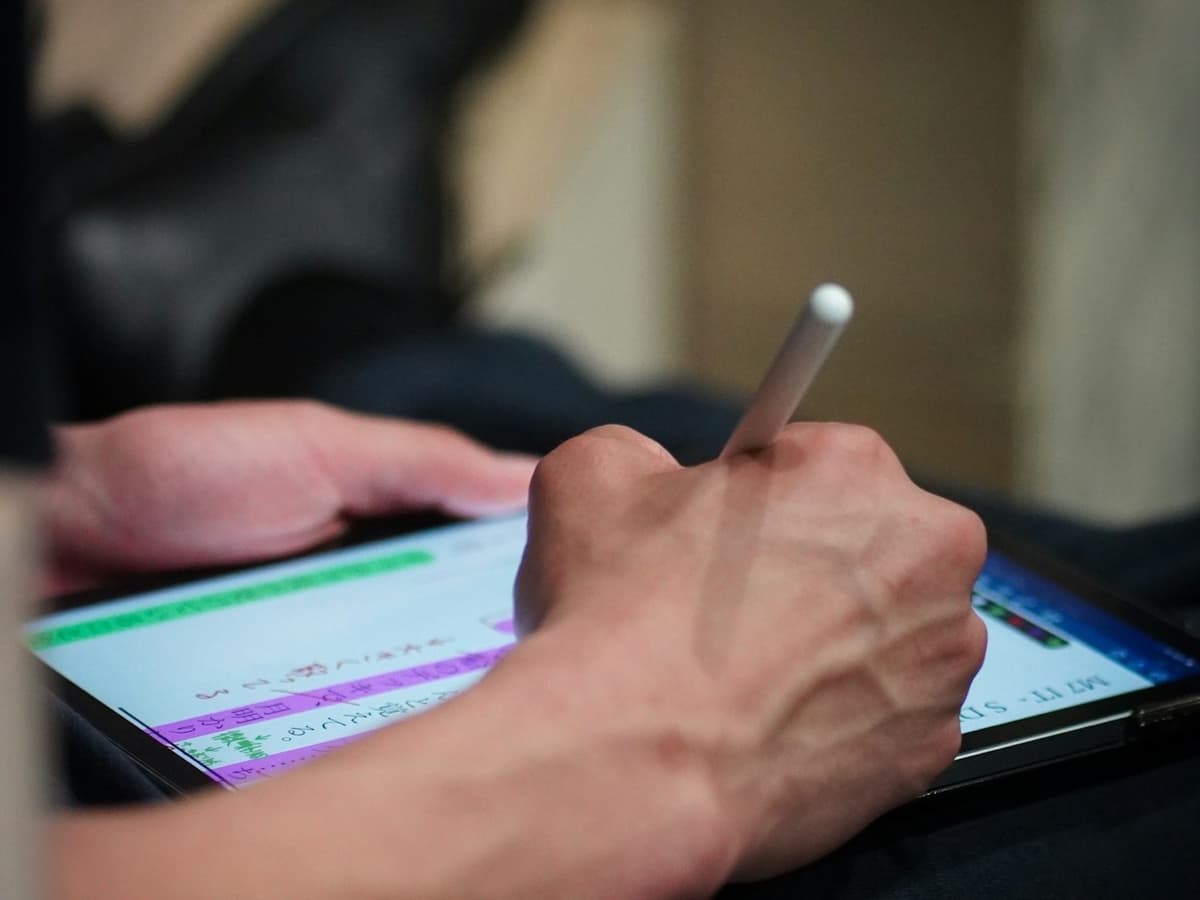
A student marking up PDFs and searching a year of handwritten notes needs a different tablet than someone who just wants a quiet, paper-like pad with no notifications on it.
Our AI doesn’t have a quota to fill — it has one job: finding what fits your exact needs, not the one with the best commission.
A personalized match
Not a generic top-ten list
Save hours of research
Skip the endless tabs
100% free to use
No hidden fees, no signup
Honest recommendations
Not sponsored picks
Tailored questions, not a fixed checklist
Your questions are generated for what you’re actually shopping for, and each answer shapes the next one. Here’s how it starts.
- 1
E-ink or a normal screen
A distraction-free e-ink pad that lasts weeks on a charge, or a backlit LCD tablet that also does email, video and everything else.
- 2
What you write
Quick meeting notes and to-do lists, dense lecture notes with diagrams, or heavy PDF and textbook markup.
- 3
Which note app you want to live in
GoodNotes or Notability on iPad, OneNote across everything, or Samsung Notes on a Galaxy Tab, including whether you need handwriting search.
… and more, depending on what you tell us.
Note-taking tablets split cleanly into two families that barely overlap. E-ink writing tablets, the reMarkable, the Boox range, the Kindle Scribe, show black text on a grey paper-like surface, run for weeks between charges, and do almost nothing else on purpose. Normal LCD tablets, an iPad or a Galaxy Tab, are backlit, in colour, need charging most days, and run every app there is. Deciding which family you want is ninety percent of the decision, and it comes down to whether the distraction-free part is a feature or a limitation for you.
The e-ink pitch is real: no notifications, no browser, no reason to pick it up except to write, plus a matte screen you can read in direct sun and a battery measured in weeks. The costs are just as real. The screen refreshes slowly, so scrolling a dense PDF or flicking between pages feels sluggish. There is no colour, which matters if you code your notes or mark up diagrams. And you are spending several hundred dollars on a device that, by design, does one thing.
A normal tablet does notes just as well and then keeps going. The writing experience on an iPad with an Apple Pencil or a Galaxy Tab with an S Pen is excellent, palm rejection is reliable, and the latency on current models is low enough that most people stop noticing it. The trade is that the same device also has YouTube, a mail badge and a group chat on it, and only you know whether that is a problem. If you want one tablet for lectures, reading, video and everything else, this is the answer.
The app matters more than the hardware once you have picked a platform. On iPad, GoodNotes and Notability are the standards, both with handwriting search that genuinely works and reads back years of messy notes. OneNote is free, syncs everywhere including Windows, and is the best choice if your notes need to reach a laptop. Samsung Notes is well integrated on a Galaxy Tab and now does handwriting-to-text cleanly. Try the free tiers before you commit, because switching later means exporting everything.
A paper-textured screen protector adds the friction that makes writing on glass feel controlled rather than slippery, and for note-takers it is close to essential; it does soften the display for video, which is a reason some people keep it off an all-purpose tablet. On size, an 11-inch screen shows most of a PDF page at a readable size and still fits a bag; smaller feels like a notebook but makes textbooks a pinch-and-zoom exercise. And if your note-taking is occasional, an entry iPad or a mid-range Galaxy Tab with the basic stylus is genuinely enough. You do not need the pro model to write a shopping list.
How QuickPick works
Tell us what you need
In plain English. No model numbers, no spec knowledge required.
Answer a few smart questions
Our AI asks what actually changes the answer, then stops asking.
Get your top matches
A short, ranked shortlist you can compare side by side, with prices.
What actually changes as you spend more
Not a list of picks. Just a sense of which band you belong in before you answer a single question.
$150 – $350
A base iPad with a third-party stylus, a mid-range Galaxy Tab with its included S Pen, or an Amazon Kindle Scribe for reading-plus-margin-notes. Handles daily handwritten notes and light PDF markup. The cheaper styluses skip pressure sensitivity and tilt, which matters for drawing but not for writing.
$400 – $750
The comfortable middle: an iPad (Air or 10th gen) with an Apple Pencil, a Galaxy Tab S-series, or a reMarkable Paper Pro if you want e-ink done well. Low latency, reliable palm rejection, and enough screen to read a textbook page without zooming.
$800 and up
An iPad Pro with the Apple Pencil Pro, or a large Boox tablet that runs full Android on e-ink. Worth it if the tablet is also your main computer for study, or if you want the biggest possible page for annotating dense academic PDFs. More than note-taking alone needs.
Typical street prices, reviewed 2026-09-04. QuickPick shows live retailer prices on your actual matches.
Frequently asked questions
- Is an e-ink tablet like the reMarkable worth it?
- It is, for a specific person: someone who wants to write and read without a single notification, values weeks of battery, and does not mind that the device does almost nothing else. If you want colour, fast PDF scrolling, or one tablet that also handles video and email, a normal LCD tablet does notes just as well and far more besides. Be honest about whether the limitations would feel freeing or frustrating.
- iPad or Samsung Galaxy Tab for notes?
- Both are excellent and the pen experience is close. Choose iPad if you want GoodNotes or Notability, or if the rest of your devices are Apple. Choose a Galaxy Tab if you prefer Android, want the S Pen included in the box rather than bought separately, or like Samsung Notes. The decision is really about the software and the ecosystem you are already in.
- Do I need an expensive stylus just to take notes?
- No. Pressure sensitivity and tilt matter for drawing and shading, not for handwriting. A basic Apple Pencil, an included S Pen, or a reputable third-party stylus with palm rejection writes just as clearly as the pro model. Spend the pen budget on a paper-feel screen protector instead.
- Can I search my handwritten notes later?
- Yes, in the main apps. GoodNotes, Notability, OneNote and Samsung Notes all index handwriting and let you search it as if it were typed, and they are surprisingly good with untidy writing. This is one of the real advantages over paper, and it is worth choosing an app that does it well before you have two years of notes locked in one that does not.
- Is a cheap tablet plus a $10 stylus good enough?
- For casual notes, often yes. A budget tablet with a capacitive stylus handles jotting and checklists fine. It falls short when you write a lot: no palm rejection means your hand triggers the screen, and the thick rubber tip hides what you are writing. If you take notes daily, a device with real palm rejection and an active pen is worth the step up.
- What size tablet is best for note-taking and PDFs?
- Around 11 inches is the usual sweet spot: large enough to show a full PDF or textbook page at readable size, small enough to hold like a pad and carry everywhere. Bigger screens, 12.9 inches and up, are better for dense academic reading but heavier in one hand. Smaller, A5-sized devices feel most like a notebook but turn every textbook into a zooming exercise.
Honest recommendations — not endless tabs.
Answer a few questions and get matched in under a minute. Free, and no signup.
Looking for something else?