

Best Quiet Keyboard for the Office
Tell us how close your colleagues sit and whether it has to be silent on calls. We match the keyboard to that.
Find my matchFree to use, and there’s no account to create. We ask for an email at the end so we can send your matches to you.
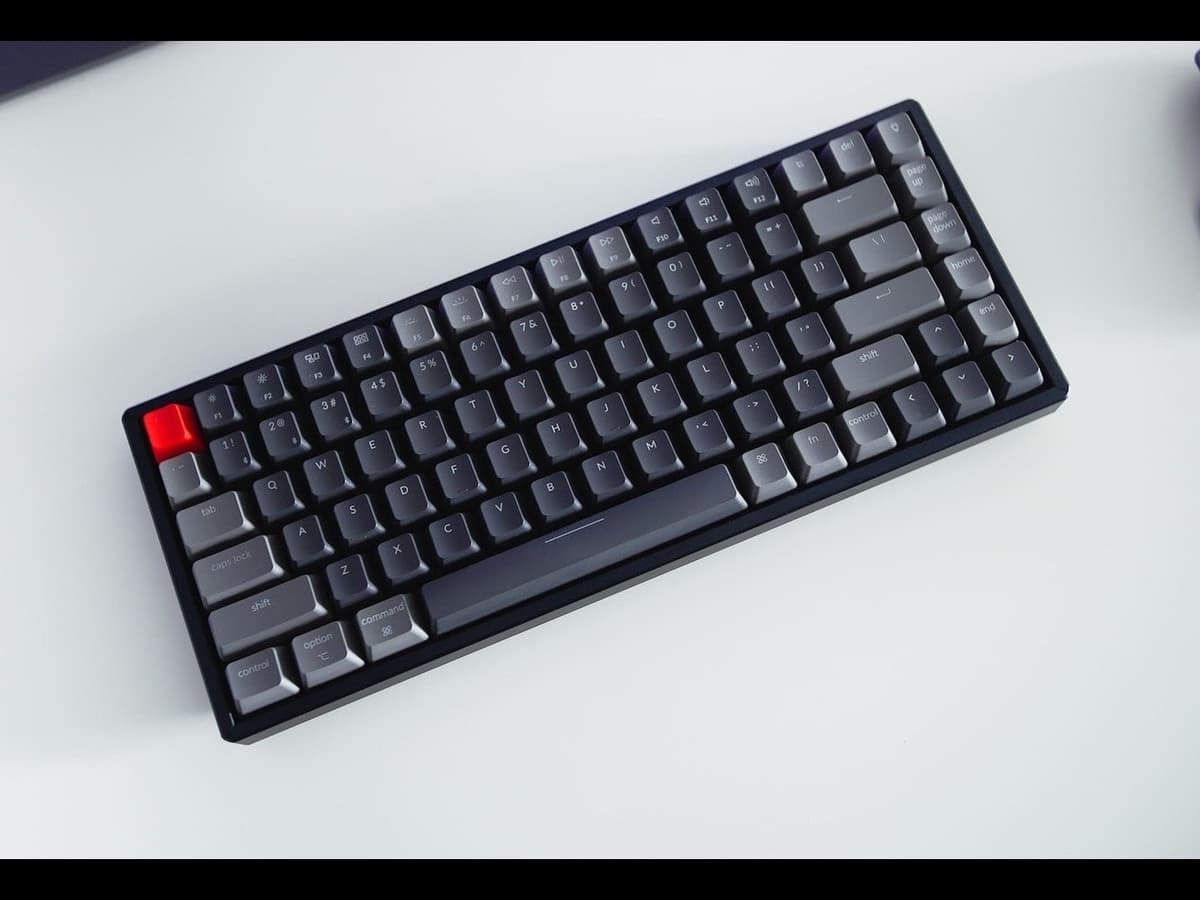
There’s no single “best quiet keyboard” — only the best one for you.
Someone in an open-plan office two feet from a colleague needs a different keyboard than someone in a home office who just does not want the keyboard audible on video calls.
Our AI doesn’t have a quota to fill — it has one job: finding what fits your exact needs, not the one with the best commission.
A personalized match
Not a generic top-ten list
Save hours of research
Skip the endless tabs
100% free to use
No hidden fees, no signup
Honest recommendations
Not sponsored picks
Tailored questions, not a fixed checklist
Your questions are generated for what you’re actually shopping for, and each answer shapes the next one. Here’s how it starts.
- 1
How close other people are
An open-plan hot desk with a neighbour within arm's reach, or a private room where only calls matter.
- 2
Calls and microphones
Whether it needs to be near-silent while you type during meetings.
- 3
Mechanical or just quiet
A true mechanical with silent switches, a low-profile board, or a high-end scissor keyboard that is quieter still.
… and more, depending on what you tell us.
"Quiet mechanical" is a real category now, and it comes in three forms. Silent switches (Cherry MX Silent Red, Gazzew Boba U4, various damped linears and tactiles) have pads inside that mute the bottom-out and return. Low-profile boards are quieter simply because there is less travel and less case to resonate. And a well-built board with internal foam and good stabilisers is quieter than a hollow one regardless of switch. Combine a silent switch with a damped case and you get close to a laptop keyboard's volume with a much better feel.
Be honest about whether you need mechanical at all. If the goal is purely "quiet and pleasant in an office", a high-end scissor-switch keyboard (Logitech MX Keys, Apple Magic Keyboard, a low-profile board with quiet switches) is nearly silent, thin, wireless and multi-device out of the box. You give up the deeper key feel and the ability to swap switches. For a lot of office workers that is the right trade, and it costs less.
The loudest parts of a keyboard are often not the switches. Rattly stabilisers on the space bar and Enter key, and a hard bottom-out against a bare plastic plate, produce more of the noise your neighbour hears than the switch itself. Boards advertised with lubed stabilisers and internal foam, or any board you are willing to open and add foam to, are noticeably quieter than a spec-sheet-identical board without them.
On video calls, the keyboard's noise floor matters more than its peak. Modern microphone noise suppression handles the occasional clack well but struggles with sustained fast typing. A silent or low-profile board, plus a habit of muting while you type, solves this. If you type a lot during calls, that is a genuine reason to spend on quiet switches.
Check the practical constraints before the fun ones. Some workplaces lock down USB devices or ban wireless dongles, so a Bluetooth board or an approved wired one may be your only choice. If you hot-desk, multi-device pairing and a size that fits your bag matter more than switch feel. Sort those out first, then pick the quietest option that fits.
How QuickPick works
Tell us what you need
In plain English. No model numbers, no spec knowledge required.
Answer a few smart questions
Our AI asks what actually changes the answer, then stops asking.
Get your top matches
A short, ranked shortlist you can compare side by side, with prices.
What actually changes as you spend more
Not a list of picks. Just a sense of which band you belong in before you answer a single question.
$40 – $80
A low-profile wireless board or a quiet-linear mechanical from Logitech, Keychron or Royal Kludge. Multi-device, slim, and quiet enough for most shared offices.
$90 – $150
Logitech MX Keys (scissor, near-silent, excellent for work), or a proper mechanical with silent switches, a damped case and PBT keycaps such as a Keychron K or Q with Silent switches. The comfortable middle for a work keyboard.
$160 – $260
Enthusiast-quiet mechanical builds — a gasket-mounted board with silent tactiles, lubed stabilisers and full foam — or a premium low-profile like the NuPhy Air96. As quiet as mechanical gets, with a typing feel worth having.
Typical street prices, reviewed 2026-09-03. QuickPick shows live retailer prices on your actual matches.
Frequently asked questions
- What is the quietest mechanical keyboard switch?
- Dedicated silent switches: Cherry MX Silent Red (linear) and Gazzew Boba U4 (tactile) are the common picks, with dampening pads that mute the bottom-out and the upstroke. Paired with a keyboard that has internal foam and good stabilisers, they get close to the volume of a laptop keyboard.
- Can a mechanical keyboard be quiet enough for an open office?
- Yes, with the right combination: silent switches, a case with sound-dampening foam, and well-tuned stabilisers. It will still be slightly louder than a scissor keyboard, but it should not carry to a colleague at a normal desk distance. A standard tactile or linear board, by contrast, will be noticeable.
- Do I need mechanical, or is a good scissor keyboard fine?
- For a pure office use case, a premium scissor keyboard like the Logitech MX Keys is near-silent, thin, wireless and multi-device, and many people are perfectly happy with it. Choose mechanical if you specifically want the deeper key feel, switch choice or programmability, and accept a small amount of extra noise.
- Why is my keyboard so loud on video calls?
- Usually a combination of hard bottom-outs, rattly stabilisers and a mic that picks up sustained typing. Noise suppression handles occasional taps but not fast continuous typing. Switching to silent or low-profile switches helps most; muting while you type during meetings covers the rest.
- Are low-profile keyboards quieter?
- Generally yes. Shorter key travel and a thinner case mean less impact noise and less resonance. They are not automatically silent — a low-profile board with clicky switches is still loud — but a low-profile board with linear or silent switches is one of the quietest mechanical options.
- How do I make an existing keyboard quieter?
- Add foam inside the case, fit rubber o-rings under the keycaps to soften the bottom-out, and lubricate or replace the stabilisers, which are often the loudest part. If the board is hot-swap, changing to silent switches is the biggest single improvement. A desk mat under the keyboard also helps a little.
Honest recommendations — not endless tabs.
Answer a few questions and get matched in under a minute. Free, and no signup.
Looking for something else?