
Best First Mechanical Keyboard
Answer a few questions about how you type and what you want it to feel like, and skip the rabbit hole.
Find my matchFree to use, and there’s no account to create. We ask for an email at the end so we can send your matches to you.
There’s no single “best first mechanical keyboard” — only the best one for you.
Someone curious about the hobby who might want to tinker later needs a different first board than someone who just wants one nice keyboard and never to think about it again.
Our AI doesn’t have a quota to fill — it has one job: finding what fits your exact needs, not the one with the best commission.
A personalized match
Not a generic top-ten list
Save hours of research
Skip the endless tabs
100% free to use
No hidden fees, no signup
Honest recommendations
Not sponsored picks
Tailored questions, not a fixed checklist
Your questions are generated for what you’re actually shopping for, and each answer shapes the next one. Here’s how it starts.
- 1
What you will do with it
Gaming, typing and office work, or both. It nudges the switch choice.
- 2
How it should sound and feel
Soft and muted, sharp and clacky, or as quiet as possible around other people.
- 3
Whether you want to change switches later
A hot-swap board lets you swap switches by hand if you pick wrong, with no soldering.
… and more, depending on what you tell us.
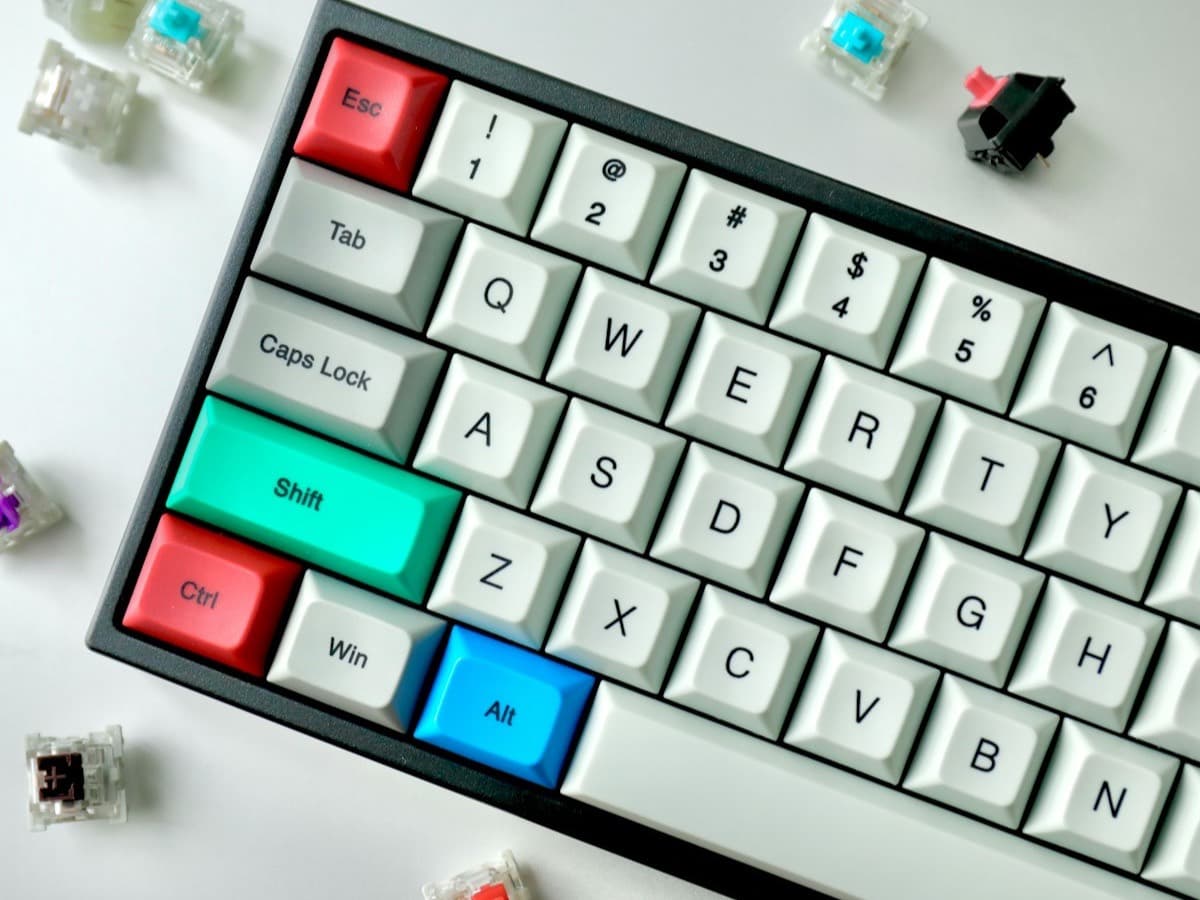
The one feature worth insisting on for a first board is hot-swappable switches. The switches pull out and push in by hand, with no soldering, so if you pick the wrong switch — and many people do the first time — you can change it for a few dollars instead of buying a new keyboard. Almost every good board under $150 offers this now, and it turns an expensive mistake into a cheap experiment.
Switches come in three families and the feel matters more than the names. Linear: smooth all the way down, no bump, quieter, popular for gaming. Tactile: a small bump partway down that tells your finger the key registered, popular for typing. Clicky: the same bump plus a loud click, satisfying and genuinely disruptive to anyone nearby. If you cannot try them, a switch tester with six to nine switches on it costs around $15 and saves a lot of guesswork. When in doubt, a medium-weight tactile is the safe first pick.
Pick a size you are sure about. A tenkeyless (no numpad) or 75% board keeps every key you are used to while saving desk space, and is the least risky first choice. 65% and 60% boards are compact and clean but move the arrows and function keys onto a layer you hold a key to reach, which is a real adjustment. Only go that small first if you already know you want to.
Keycaps quietly determine how the board ages. Cheap boards ship with ABS keycaps that turn shiny and slick within months; PBT keycaps stay textured for years and cost only a little more. Legends matter too: doubleshot or dye-sublimated legends are moulded or dyed in and never wear off, while printed legends rub away. A board with PBT doubleshot keycaps is worth a small premium.
You do not need to fall down the rabbit hole. Custom builds, lubing switches, aftermarket keycap sets and group buys are a whole hobby, and they are optional. A good hot-swap board with PBT keycaps and a switch you like is a genuinely great keyboard exactly as it comes. Buy that, use it for a few months, and go deeper only if you actually want to.
How QuickPick works
Tell us what you need
In plain English. No model numbers, no spec knowledge required.
Answer a few smart questions
Our AI asks what actually changes the answer, then stops asking.
Get your top matches
A short, ranked shortlist you can compare side by side, with prices.
What actually changes as you spend more
Not a list of picks. Just a sense of which band you belong in before you answer a single question.
$40 – $70
Hot-swap boards from Royal Kludge, Redragon or Aula, usually tenkeyless or 65%, with wireless and RGB. The switches and stabilisers are basic and the case can sound hollow, but it is a low-risk way to find out whether you like mechanical at all.
$80 – $130
The recommended starting point: Keychron V or K series, NuPhy Air, Epomaker. Hot-swap, PBT keycaps, sound dampening, Mac and Windows support and multi-device wireless. Most people never need to upgrade from here.
$150 – $220
Gasket-mounted boards with excellent stock sound and feel: Keychron Q series, NuPhy Halo. A finished, premium keyboard out of the box, for someone who wants to buy once.
Typical street prices, reviewed 2026-09-03. QuickPick shows live retailer prices on your actual matches.
Frequently asked questions
- What switch should I get for my first mechanical keyboard?
- If you cannot try switches first, a medium-weight tactile (a "brown" or similar) is the safe default: it gives typing feedback without being loud, and it works for gaming too. Choose a linear if you mostly game or want the quietest smooth feel, and avoid clicky switches unless you have no one nearby. A hot-swap board means a wrong guess costs a few dollars to fix.
- What does hot-swappable mean, and do I need it?
- It means the switches lift out and press in by hand, with no soldering, so you can change them whenever you want. For a first keyboard it is close to essential: switch preference is personal and hard to predict, and hot-swap turns "I bought the wrong switch" from a new-keyboard problem into a $5 one.
- What size mechanical keyboard should I start with?
- Tenkeyless or 75% is the low-risk choice: you keep the function row, arrows and navigation keys and only lose the numpad. 65% and 60% are smaller and cleaner but move arrows and symbols onto held layers, which takes adjustment. Start compact only if you are sure you want to; you can always go smaller later.
- Are mechanical keyboards worth it?
- For most people who type or game a lot, yes: a consistent feel, switch choice, better durability and often real programmability. The jump from a cheap membrane board is noticeable. Whether it is worth it over a good scissor keyboard is more personal, and comes down to how much you care about the typing feel.
- What is the difference between ABS and PBT keycaps?
- ABS plastic is smoother and cheaper and develops a greasy shine where your fingers land, usually within months. PBT is more textured, more durable and resists that shine for years. Most keycaps you would want also use doubleshot or dye-sublimated legends that never wear off, unlike cheap printed legends.
- How much should I spend on my first mechanical keyboard?
- $80 to $130 is the sweet spot: a hot-swap board with PBT keycaps, sound dampening and multi-device wireless that most people never outgrow. You can start at $40–$70 to test whether you like mechanical at all, accepting a hollower sound and basic parts. Above $150 you are paying for stock sound and feel you could also reach by upgrading a cheaper hot-swap board later.
Honest recommendations — not endless tabs.
Answer a few questions and get matched in under a minute. Free, and no signup.
Looking for something else?