

Best Keyboard for Programming
Tell us how you type and where the keyboard lives. We match the board to your workflow, not to a benchmark.
Find my matchFree to use, and there’s no account to create. We ask for an email at the end so we can send your matches to you.
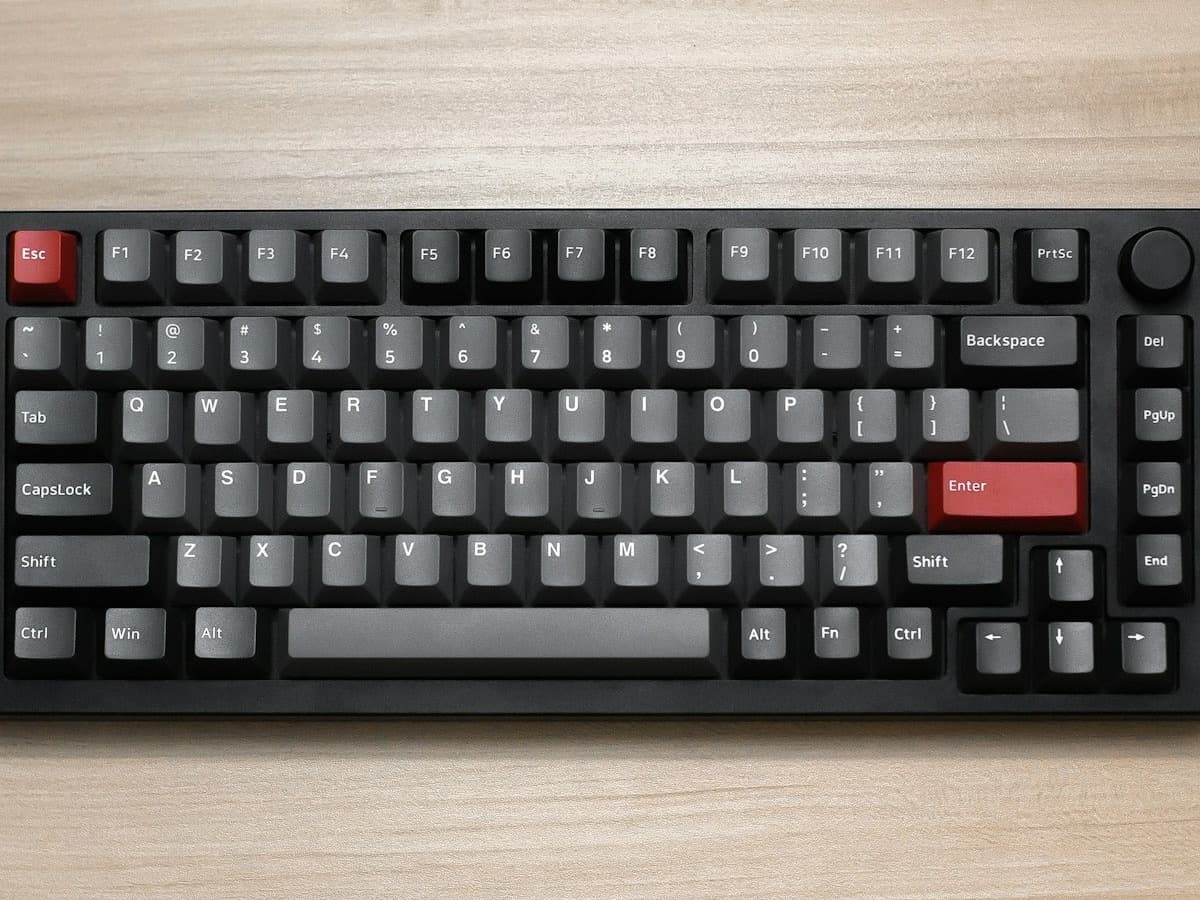
There’s no single “best keyboard” — only the best one for you.
A developer who types eight hours a day and cares about finger fatigue needs a different keyboard than someone who wants the compact board that fits a hot-desk bag.
Our AI doesn’t have a quota to fill — it has one job: finding what fits your exact needs, not the one with the best commission.
A personalized match
Not a generic top-ten list
Save hours of research
Skip the endless tabs
100% free to use
No hidden fees, no signup
Honest recommendations
Not sponsored picks
Tailored questions, not a fixed checklist
Your questions are generated for what you’re actually shopping for, and each answer shapes the next one. Here’s how it starts.
- 1
How a switch should feel
A tactile bump for typing feedback, a quiet linear for shared spaces, or something heavier and sharper.
- 2
Layout
Full-size, tenkeyless, 75%, a compact 60%, or a split ergonomic board that separates the halves.
- 3
How much it moves
A permanent desk keyboard, or one carried between office, home and a laptop every day.
… and more, depending on what you tell us.
Most programmers who move to mechanical end up preferring a tactile switch: a small bump at the actuation point that confirms the press without a full bottom-out. Browns are the usual starting point; heavier, sharper tactiles like Boba U4T are an enthusiast favourite. Clicky switches (blues) give the strongest feedback and are the loudest, which makes them a poor fit for any shared space. Linear switches type fine, they just give no positional feedback.
Layout is where you can actually gain something. A 75% or tenkeyless board keeps the function row and arrow keys while trimming width, which brings your mouse closer and reduces the shoulder reach that causes strain over years at a desk. Going smaller (65%, 60%) moves numbers, symbols and arrows onto a held layer, which is powerful once learned and a real adjustment first. Split and columnar boards (ZSA Moonlander, Keychron Q11, Glove80) go further for ergonomics at the cost of a genuine relearning period.
Programmability matters more for coders than for anyone else, because you type symbols constantly. Firmware such as QMK and VIA lets you put brackets, arrows and a numpad on a held layer, remap Caps Lock, and set per-application macros. If you use Vim or a tiling window manager, real layer support and easy remapping are worth prioritising over materials or looks.
If the keyboard moves between machines, get one with proper multi-device wireless and both Mac and Windows legends or an OS switch. A board that pairs to three devices and swaps with a shortcut removes a small daily friction. Make sure it is 2.4GHz or solid Bluetooth 5.x with a real battery figure, not an afterthought.
The biggest comfort upgrade is often not the keyboard: it is a flat or negative typing angle plus a palm rest, so your wrists are not extended upward all day. A great keyboard propped up on its back feet can be worse for you than a cheap one laid flat. Factor the typing angle and a wrist rest into the decision.
How QuickPick works
Tell us what you need
In plain English. No model numbers, no spec knowledge required.
Answer a few smart questions
Our AI asks what actually changes the answer, then stops asking.
Get your top matches
A short, ranked shortlist you can compare side by side, with prices.
What actually changes as you spend more
Not a list of picks. Just a sense of which band you belong in before you answer a single question.
$50 – $90
A hot-swap 75% or tenkeyless from Keychron, Royal Kludge or NuPhy with tactile switches and PBT keycaps. Multi-device wireless, Mac and Windows support, and a layout that already helps your posture.
$110 – $180
Gasket-mounted boards with better typing feel and sound, full QMK/VIA programmability and doubleshot keycaps: Keychron Q/V series, NuPhy Air and Halo. The sweet spot for a daily driver you keep for years.
$200 – $400
Split and ergonomic boards (ZSA Moonlander, Keychron Q11, Kinesis Advantage360) or enthusiast custom builds. Worth it if you have wrist or shoulder issues, or type enough that a relearning curve pays back.
Typical street prices, reviewed 2026-09-03. QuickPick shows live retailer prices on your actual matches.
Frequently asked questions
- What switches are best for programming and typing?
- A medium-weight tactile switch is the common choice: the bump confirms each keypress without bottoming out, which reduces fatigue over a long day. Browns are the safe starting point. Quiet linears are better if you share a space. Avoid clicky (blue) switches anywhere near other people.
- Do I need an ergonomic or split keyboard?
- Only if you have wrist, forearm or shoulder discomfort, or type enough hours that prevention is worth a learning curve. Split and columnar boards let your shoulders sit naturally and reduce ulnar deviation, but they take one to three weeks to get back to full speed on. For many people a tenkeyless board laid flat with a palm rest solves most of the problem.
- What keyboard size is best for coding?
- 75% or tenkeyless is the sweet spot: you keep the function row, arrows and navigation cluster while losing the numpad, which pulls your mouse closer. 65% and 60% are more compact but push arrows and symbols onto layers, which suits people who commit to learning them. Full-size is fine if you enter a lot of numbers.
- Is QMK or VIA programmability worth it?
- For developers, usually yes. Putting symbols, arrows and a numpad on a held layer, remapping Caps Lock, and creating per-app macros genuinely speeds up coding, especially with Vim or a tiling window manager. VIA gives you a graphical remap tool with no firmware flashing. If you will never remap anything, it does not matter.
- Mechanical or membrane keyboard for developers?
- Neither makes you a better programmer. Mechanical boards offer a more consistent feel, switch choice, better durability and real programmability, which is why many developers prefer them. A good membrane or scissor keyboard is still perfectly usable. The typing angle and a wrist rest affect comfort more than the switch technology does.
- Will a mechanical keyboard annoy my coworkers?
- It can. Clicky switches definitely will; standard tactile and linear switches are audible but usually tolerable; silent switches plus a damped case get close to a laptop keyboard. If you sit close to others, choose silent or low-profile switches and check before you commit to a loud board.
Honest recommendations — not endless tabs.
Answer a few questions and get matched in under a minute. Free, and no signup.
Looking for something else?