

Best Mini PC for a Home Theatre PC
Tell us what you watch and how fussy you are about silence. We will also tell you honestly if a streaming box would do.
Find my matchFree to use, and there’s no account to create. We ask for an email at the end so we can send your matches to you.
There’s no single “best mini pc” — only the best one for you.
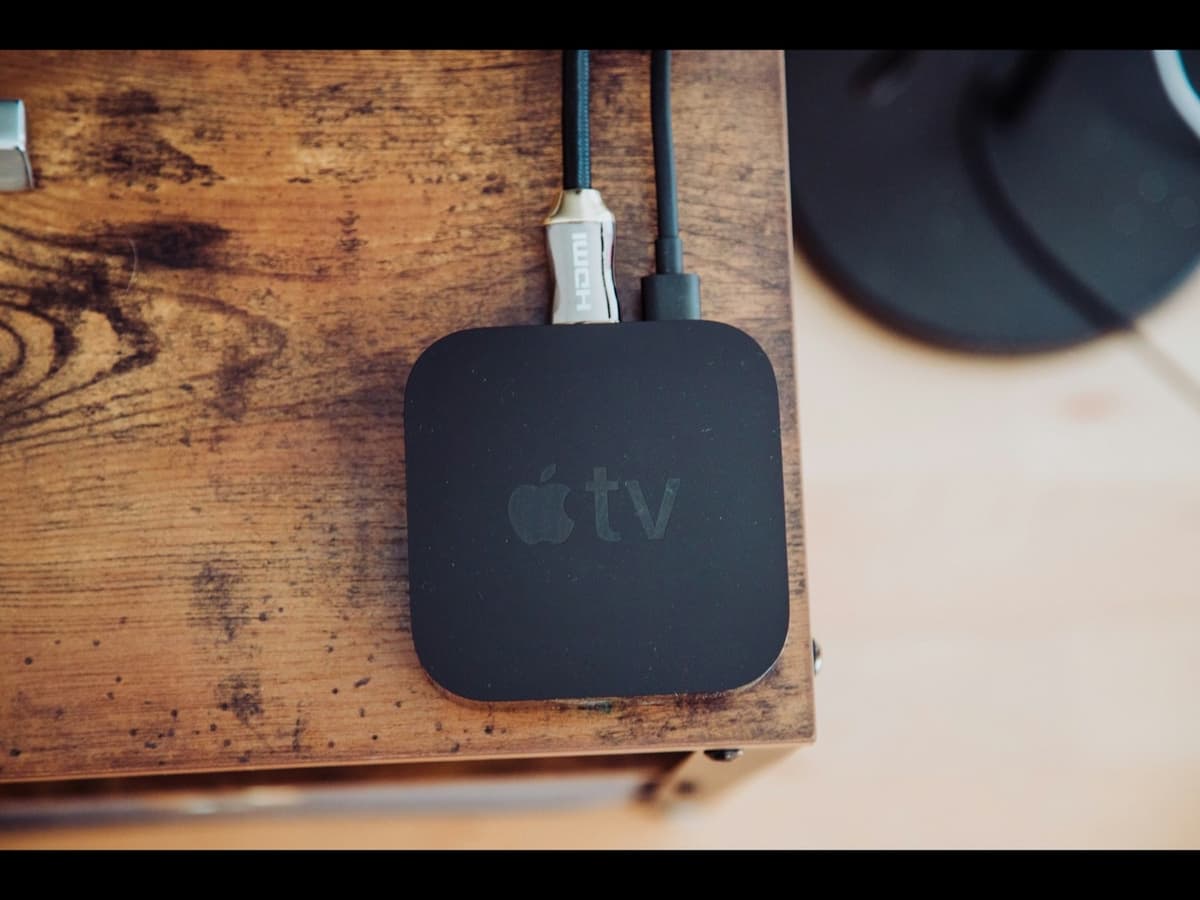
Someone streaming Netflix and the occasional YouTube video needs an Apple TV, not a computer, but someone running a 12TB movie library through Kodi with lossless audio and a bit of retro gaming needs the real thing.
Our AI doesn’t have a quota to fill — it has one job: finding what fits your exact needs, not the one with the best commission.
A personalized match
Not a generic top-ten list
Save hours of research
Skip the endless tabs
100% free to use
No hidden fees, no signup
Honest recommendations
Not sponsored picks
Tailored questions, not a fixed checklist
Your questions are generated for what you’re actually shopping for, and each answer shapes the next one. Here’s how it starts.
- 1
What actually plays on it
Streaming apps only, a large local movie and TV library, Kodi or Plex as the front end, retro game emulation, or light PC gaming from the sofa.
- 2
Picture and sound targets
4K HDR, Dolby Vision, and whether you need lossless audio bitstreamed to a receiver, all of which narrow the hardware.
- 3
How quiet the room has to be
A fan you can hear during a quiet scene is the thing that ends up unplugged, so fanless or near-silent matters here more than anywhere.
… and more, depending on what you tell us.
Start with an uncomfortable question: do you actually need a computer under your television? For most people the answer is no. If what you do is open Netflix, Disney+, YouTube and a couple of other apps, an Apple TV 4K or an Nvidia Shield does it better than a mini PC. They are smaller, silent, cost a fraction as much, wake instantly, and never show you a desktop or an update prompt. A home theatre PC only starts to make sense when you keep hitting something those boxes cannot do.
Those limits are specific. A large local library you want to browse through Kodi or Plex with your own artwork and organisation. File formats and codecs a streaming box refuses to play. Bitstreaming lossless Dolby TrueHD or DTS-HD to an AV receiver. Retro console emulation, which wants a real keyboard and a real filesystem. Light PC gaming or cloud gaming on the big screen. If two or three of those describe you, a mini PC earns its place. If none do, buy the streaming box and keep the money.
If you do go the mini PC route, the display chain needs attention. You want HDMI 2.0 at minimum for 4K at 60Hz with HDR, and HDMI 2.1 if you also want to game at high frame rates. Any recent Intel or AMD integrated GPU decodes HEVC and AV1 in hardware, so 4K playback itself is not demanding. The real catch is Dolby Vision: it barely works on a Windows or Linux HTPC because it needs licensed hardware, so if Dolby Vision matters to you, that alone is a reason to use an Apple TV or a certified player instead. Standard HDR10 works fine.
Noise is the factor people underestimate and then cannot un-hear. A small cooling fan that is inaudible in an office is very audible two metres away during a quiet dialogue scene, and once you notice it you notice it every time. Prioritise a fanless mini PC, the passively cooled N100 and N305 machines are ideal and more than fast enough for playback, or, if you need more power, a model specifically reviewed as quiet under load. Also check the cabinet: a fanless box sealed inside a closed AV unit can still overheat.
A living-room computer needs a way to drive it from the sofa, and this is worth solving before it arrives rather than after. The common answers are a Bluetooth media remote the operating system recognises, a small wireless keyboard with a built-in trackpad, an air-mouse, or a phone app like the Kodi or Plex remote. If the mini PC will mostly run one app full-screen, a simple remote is enough. If you will drop to the desktop, you need a keyboard and pointer within reach.
How QuickPick works
Tell us what you need
In plain English. No model numbers, no spec knowledge required.
Answer a few smart questions
Our AI asks what actually changes the answer, then stops asking.
Get your top matches
A short, ranked shortlist you can compare side by side, with prices.
What actually changes as you spend more
Not a list of picks. Just a sense of which band you belong in before you answer a single question.
$50 – $200
Not a mini PC at all: a Google TV device, an Apple TV 4K or an Nvidia Shield. Silent, tiny, instant, and the right answer if your use is streaming apps. Listed here because for many people it is genuinely the better buy.
$150 – $350
A passively cooled Intel N100 or N305 mini with 8 to 16GB of RAM. Silent, low power, and comfortably handles 4K HDR playback, Kodi, Plex and light emulation. The sweet spot for a genuine HTPC.
$500 and up
A Mac mini, a higher-tier Beelink or Minisforum with a Ryzen chip and stronger integrated graphics, or a small-form-factor build with a low-profile GPU. For 4K emulation, PC gaming from the sofa, or one box that also does other work.
Typical street prices, reviewed 2026-09-04. QuickPick shows live retailer prices on your actual matches.
Frequently asked questions
- Should I build a home theatre PC or just buy an Apple TV?
- For streaming apps, buy the Apple TV or an Nvidia Shield: it is cheaper, silent, and far less maintenance. Build or buy an HTPC when you have a large local library you want to run through Kodi or Plex, need codecs or lossless audio a streaming box will not handle, want retro emulation, or game from the sofa. If none of those apply, the streaming box wins easily.
- Can a mini PC play 4K HDR?
- Yes. Any mini PC with a recent Intel or AMD integrated GPU decodes 4K HEVC and AV1 in hardware and outputs HDR10 over HDMI without strain. The two things to verify are an HDMI 2.0 or later port for 4K at 60Hz, and that the operating system and player are set up for HDR output, which is not always automatic on Windows.
- Does Dolby Vision work on a home theatre PC?
- Mostly no. Dolby Vision needs licensed hardware and software, and support on a Windows or Linux HTPC is patchy to nonexistent depending on your files and player. Some media apps manage a partial profile; many do not. If Dolby Vision is important to you, use an Apple TV 4K or a certified streamer for that content. HDR10 and HDR10+ work fine on a PC.
- How do I keep a home theatre PC quiet?
- Buy a fanless model if you can: the passively cooled N100 and N305 mini PCs are silent and fast enough for any playback task. If you need more performance, choose a machine specifically reviewed as quiet under sustained load, give it airflow rather than sealing it in a closed cabinet, and set a power profile that keeps it from ramping up during simple playback.
- What about emulation and light gaming in the living room?
- This is one of the strongest reasons to pick a mini PC over a streaming box. A machine with a capable integrated GPU, a recent Ryzen mini or a Mac mini, handles most emulation up to the sixth console generation and plays many PC games at 1080p on the TV. Demanding current games still want a discrete GPU, which means a larger small-form-factor build rather than a true mini PC.
- How do I control a mini PC from the couch?
- The usual options are a Bluetooth media remote the OS recognises, a compact wireless keyboard with a trackpad, an air-mouse, or a phone app such as the Plex or Kodi remote. Choose based on whether you will live inside one full-screen app, in which case a remote is enough, or drop to the desktop regularly, in which case keep a keyboard and pointer nearby.
Honest recommendations — not endless tabs.
Answer a few questions and get matched in under a minute. Free, and no signup.
Looking for something else?