

Best Mini PC for a Home Server
Tell us what you want to run and where it will live. We match the box to your homelab, not to a benchmark.
Find my matchFree to use, and there’s no account to create. We ask for an email at the end so we can send your matches to you.
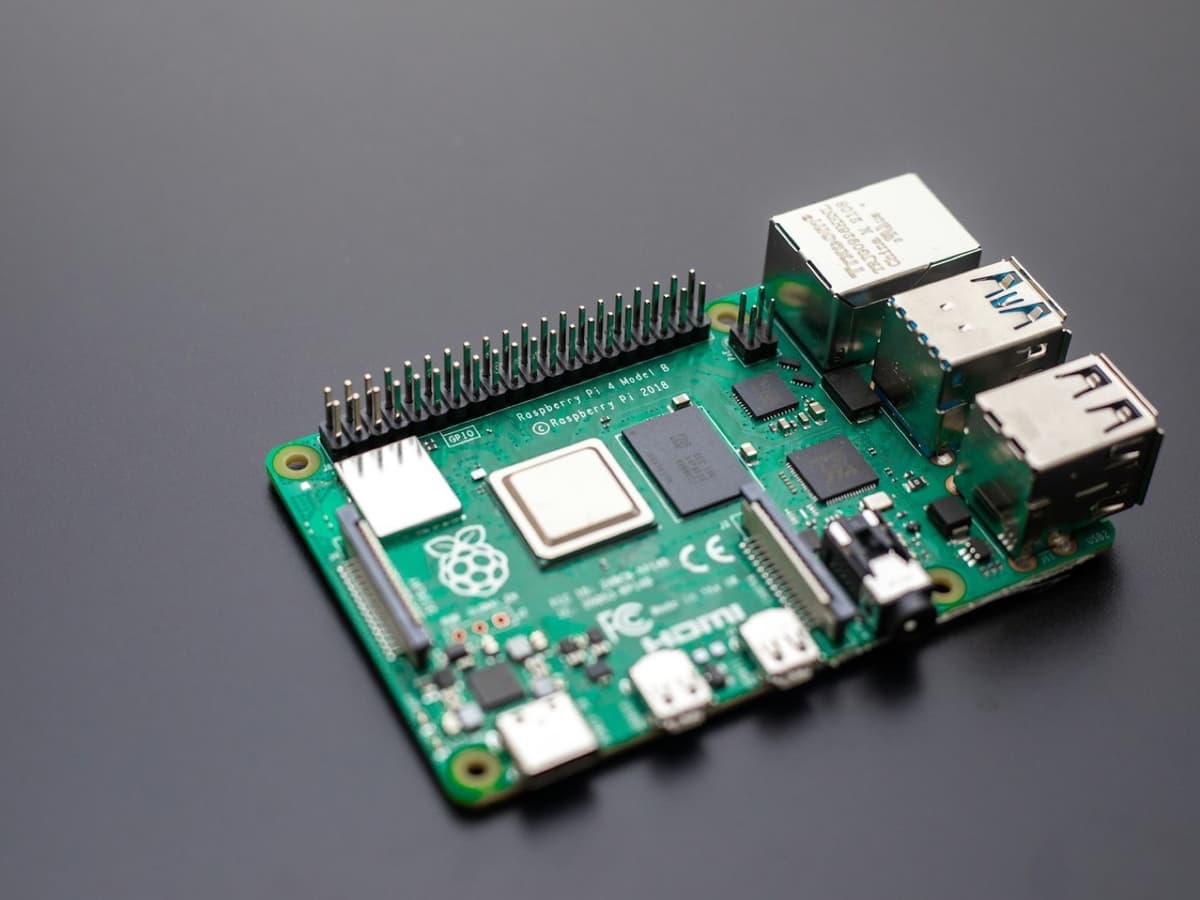
There’s no single “best mini pc” — only the best one for you.
Someone running a couple of Docker containers and a backup share needs a different mini PC than someone transcoding three 4K Plex streams to phones on the other side of the country.
Our AI doesn’t have a quota to fill — it has one job: finding what fits your exact needs, not the one with the best commission.
A personalized match
Not a generic top-ten list
Save hours of research
Skip the endless tabs
100% free to use
No hidden fees, no signup
Honest recommendations
Not sponsored picks
Tailored questions, not a fixed checklist
Your questions are generated for what you’re actually shopping for, and each answer shapes the next one. Here’s how it starts.
- 1
What you actually want to self-host
A Plex or Jellyfin library, a stack of Docker containers, Home Assistant, a Proxmox host, or a NAS-lite setup with shared drives.
- 2
Whether it has to transcode video
Direct play to a smart TV asks almost nothing of the server; transcoding 4K HDR down to a phone needs Intel Quick Sync or a real GPU.
- 3
How it behaves running 24/7
Idle power draw, fan noise and heat all matter when the machine never turns off and usually lives on a shelf or in a cupboard.
… and more, depending on what you tell us.
The single question that decides this purchase is whether your media server needs to transcode. If every device you watch on can play your files directly, a modern smart TV, an Apple TV, an Nvidia Shield, then the server barely has to work, and almost any small machine from the last five years will do. The moment you are converting a 4K HDR file on the fly to something a phone on hotel wifi can handle, you need real video hardware, and that changes the shortlist completely.
For transcoding, Intel's Quick Sync is the feature that matters, and it is the reason used enterprise mini PCs are the default recommendation. Any Intel chip with integrated graphics from roughly the 8th generation onward transcodes several 1080p streams while drawing a few watts, and recent ones handle multiple 4K HDR streams with tone mapping. A discrete GPU does the same job and more, but it is larger, hotter, hungrier and rarely necessary for a home library. AMD's integrated video is improving but still trails Intel for Plex and Jellyfin specifically.
Because this machine never turns off, the specs that usually get ignored become the important ones. A box that idles at 8 watts costs a fraction of one that idles at 35 over a year of continuous running, and the difference compounds every year you own it. Noise matters more than people expect too: a server often ends up in a living room, a bedroom cupboard or a home office, and a whining small fan is the thing that gets it exiled to the garage. Fanless designs exist and are worth seeking out if the machine will be anywhere you sleep or work.
Buy more memory and storage headroom than your current plan needs, because self-hosting expands. A Plex server and a couple of containers run comfortably in 8GB, but the moment you add Proxmox, a few virtual machines, the Sonarr and Radarr stack, a database and Home Assistant, 16GB or 32GB stops being a luxury. The same goes for the NVMe slot: put the operating system and app data on internal SSD, keep a slot free for expansion, and attach bulk media storage as separate drives.
Think about how your files physically attach. Most mini PCs have one internal 2.5-inch bay and one or two NVMe slots, so a large media collection lives on external drives over USB, or on a separate NAS that the mini PC just talks to. If you move a lot of data between machines, 2.5GbE networking is worth having and increasingly common. And for most people the value pick is a refurbished Dell OptiPlex Micro, Lenovo ThinkCentre Tiny or HP EliteDesk Mini: three-year-old corporate machines with Quick Sync, sold in volume, for less than half the price of a new equivalent.
How QuickPick works
Tell us what you need
In plain English. No model numbers, no spec knowledge required.
Answer a few smart questions
Our AI asks what actually changes the answer, then stops asking.
Get your top matches
A short, ranked shortlist you can compare side by side, with prices.
What actually changes as you spend more
Not a list of picks. Just a sense of which band you belong in before you answer a single question.
$120 – $250
A used Dell OptiPlex Micro, Lenovo ThinkCentre Tiny or HP EliteDesk Mini with an 8th to 10th generation Intel chip, 16GB of RAM and a 256GB SSD. Quick Sync for transcoding, tiny idle power, and quiet. Where most home servers should start.
$350 – $600
A newer mini PC: a fanless Intel N100 or N305 model, a current Beelink or Minisforum, or a refurbished 12th-generation ThinkCentre. 16 to 32GB of RAM, dual NVMe slots and 2.5GbE. Room for Proxmox, several containers and multiple 4K transcodes.
$700 and up
A Mac mini, an Intel NUC-class machine with a Core Ultra chip, or a NAS with real compute like the Ugreen or Asustor boxes. Worth it for a large household, heavy virtualization, or when one machine replaces a NAS and a server both.
Typical street prices, reviewed 2026-09-04. QuickPick shows live retailer prices on your actual matches.
Frequently asked questions
- Do I need Intel Quick Sync for a Plex or Jellyfin server?
- Only if you transcode. If all your playback devices can play your files directly, the server does almost no work and any small machine is fine. If you stream to phones, tablets or browsers away from home, or your files are 4K HDR and a target screen is not, Quick Sync turns hardware transcoding into a few-watt background task. It is the main reason used Intel mini PCs are recommended over the alternatives.
- Is a Raspberry Pi enough for a home server?
- For lightweight things, yes: Pi-hole, Home Assistant, a handful of Docker containers and a small file share all run happily on a Pi 4 or 5. It falls short as a media server the moment you need to transcode, because it has no Quick Sync equivalent. Once you have added an SSD, a case and a power supply, a used mini PC often costs about the same and does far more.
- How much does it cost to run a mini PC 24/7?
- It depends almost entirely on idle power draw, which ranges from about 6 watts for an efficient fanless mini to 35 or more for an older desktop-class machine. At typical electricity prices the efficient one costs a few dollars a month and the thirsty one closer to ten or fifteen. Over the years you own it, that gap can exceed the price of the machine, so idle wattage is worth checking before you buy.
- New mini PC or used enterprise mini?
- Used enterprise is the value pick for most people. Dell, Lenovo and HP sell millions of OptiPlex Micro, ThinkCentre Tiny and EliteDesk Mini units to businesses, and they flood the refurbished market three years later at a steep discount with plenty of life left. New minis make sense if you want a fanless N100 for silence, the latest Quick Sync for 4K HDR tone mapping, or a warranty you can rely on.
- How much RAM does a home server need?
- 8GB is enough for a media server and a few containers. 16GB is the comfortable default once you are running Proxmox, several virtual machines or the full self-hosting stack, and 32GB gives you room to stop thinking about it. Most mini PCs take SODIMMs you can upgrade later, so it is reasonable to start at 16GB and add more when you hit the wall.
- Can one mini PC replace a NAS?
- Often, yes. A mini PC running TrueNAS, Unraid or just Docker with a couple of external drives covers what most people want from a NAS, and it can also run applications a NAS cannot. The limit is physical: most mini PCs hold one or two internal drives, so a large disk array still wants a dedicated enclosure. For a few terabytes and some containers, the mini PC is simpler.
Honest recommendations — not endless tabs.
Answer a few questions and get matched in under a minute. Free, and no signup.
Looking for something else?